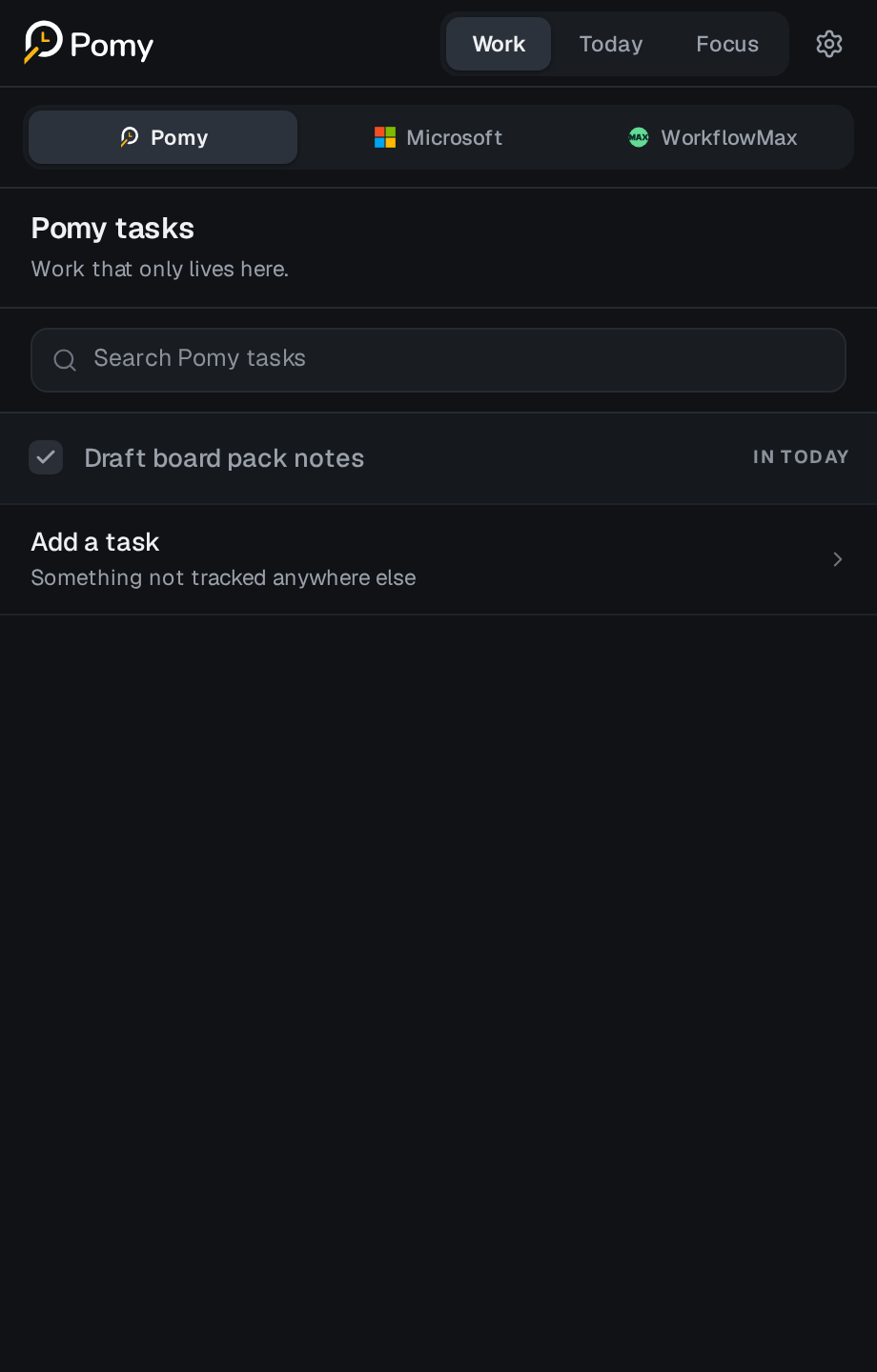
Bring the right work into Today
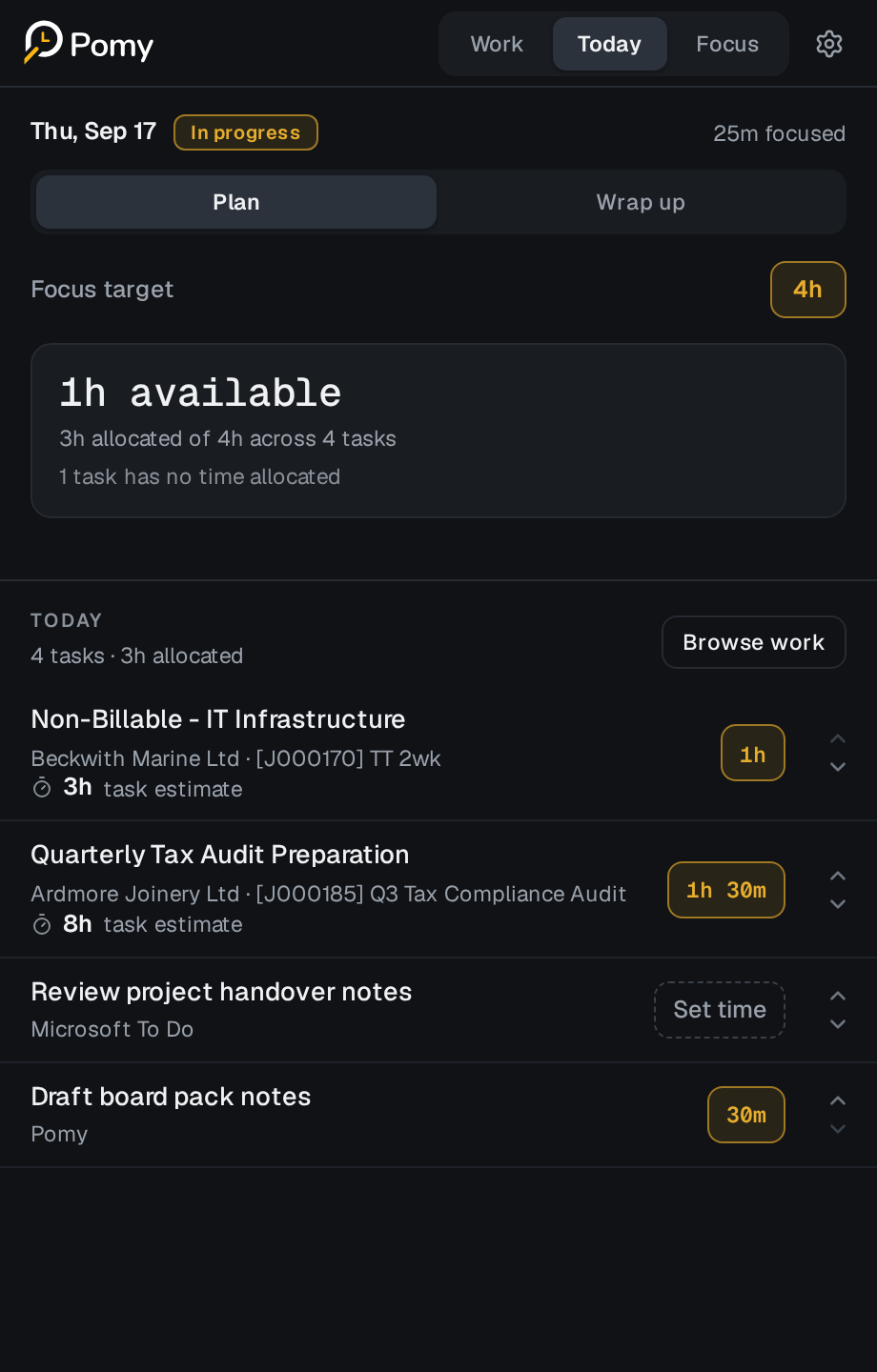
Pick from your own tasks, your To Do lists, or a live client job. Context comes with it, so nothing has to be described twice.

Pomy brings daily planning, deep work, and timesheet review together in one calm browser side panel.
One focus workflow for the places work already lives

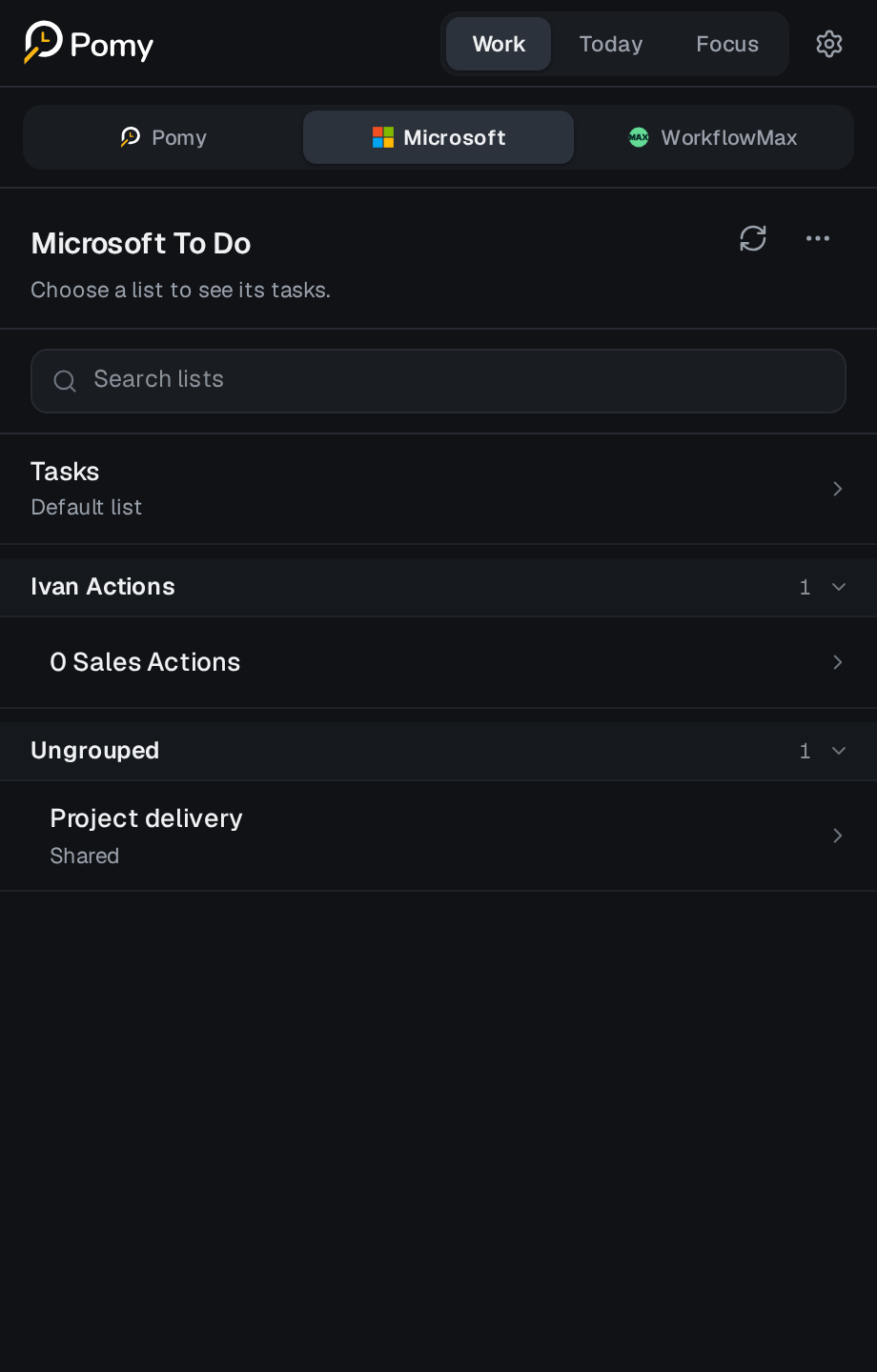
 Microsoft To Do
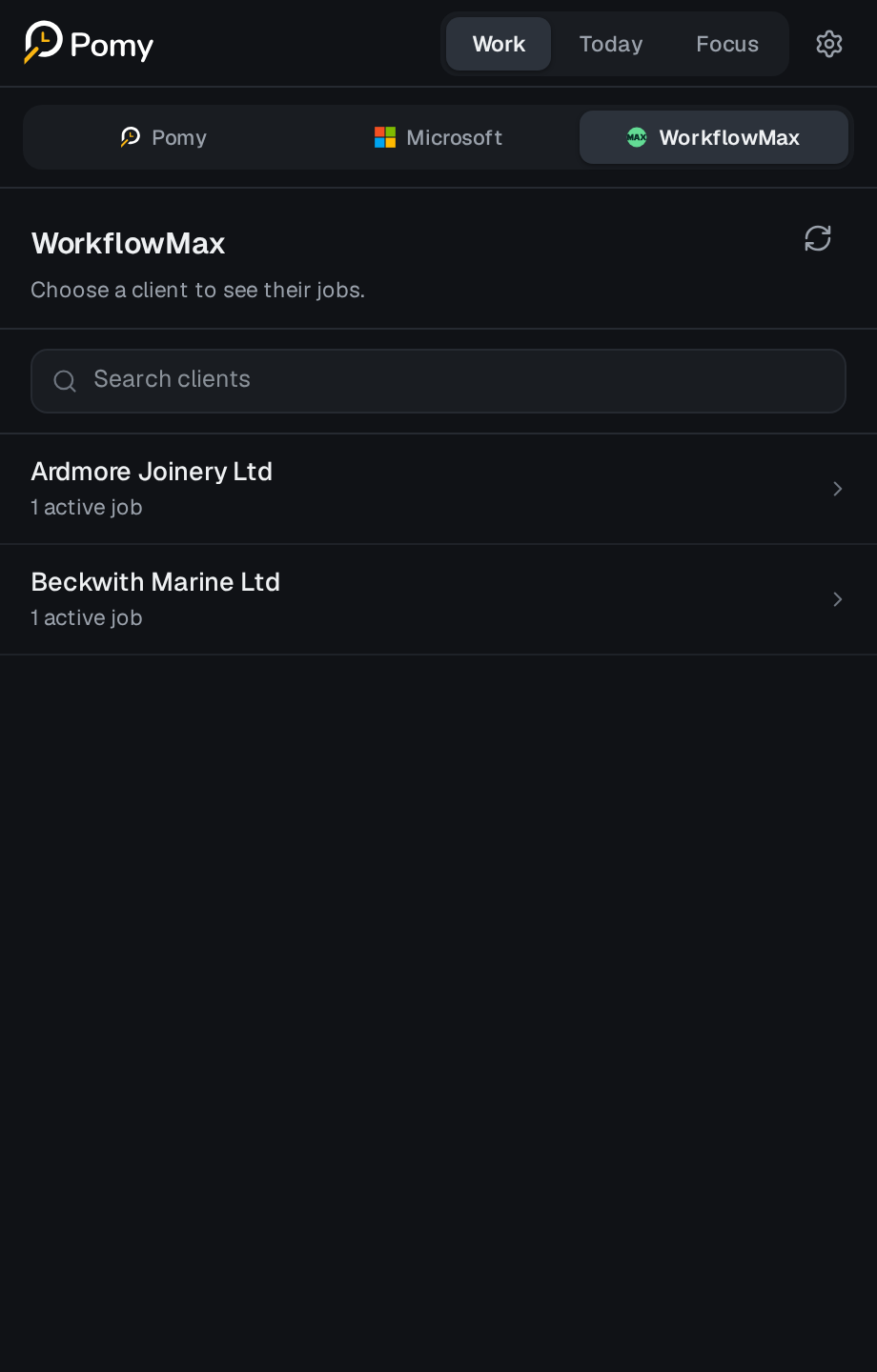
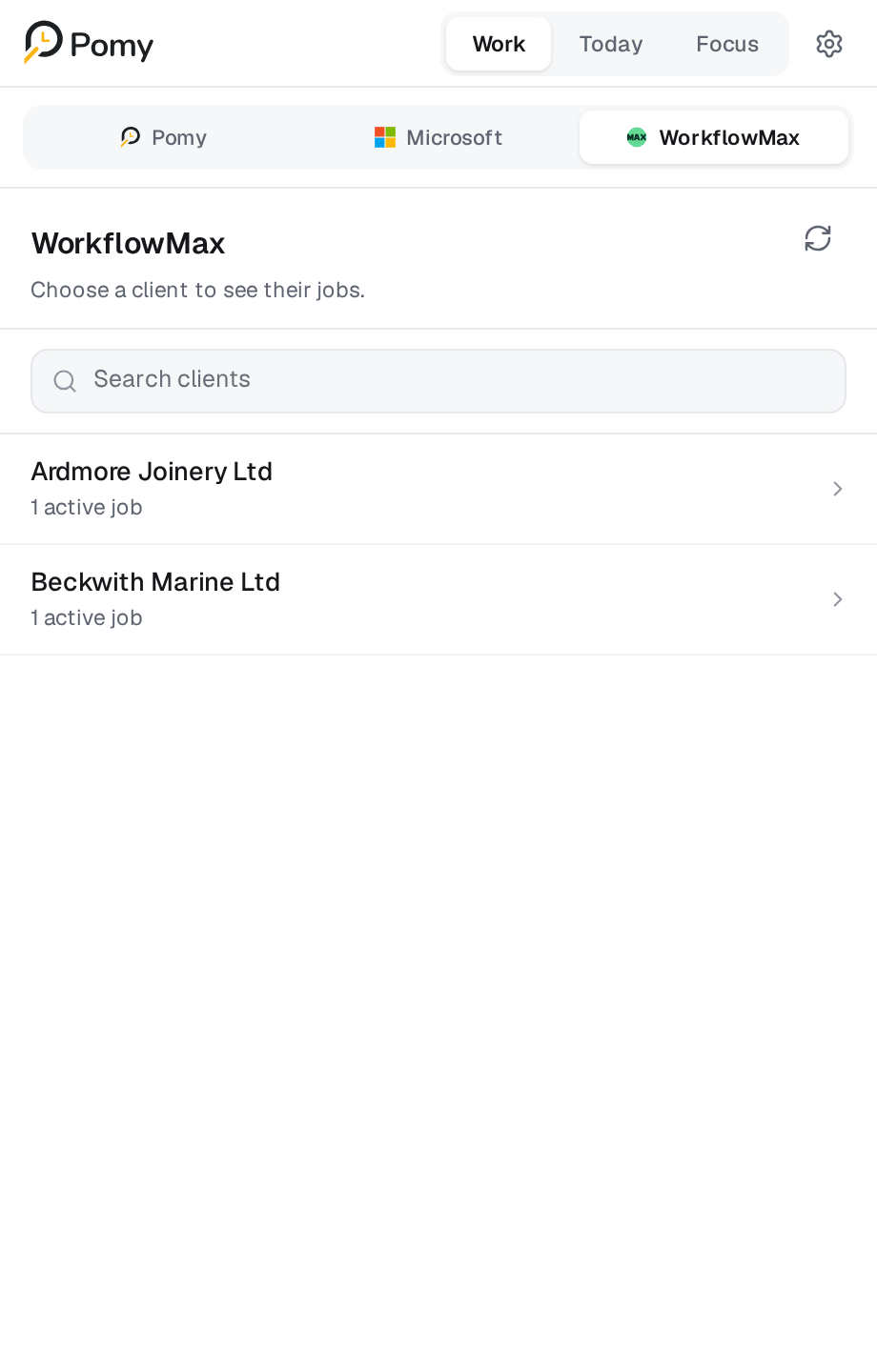
 WorkflowMax
One connected flow
Explore the actual Pomy workflow. Every step keeps the work, its context, and your decisions together.
01 · Choose
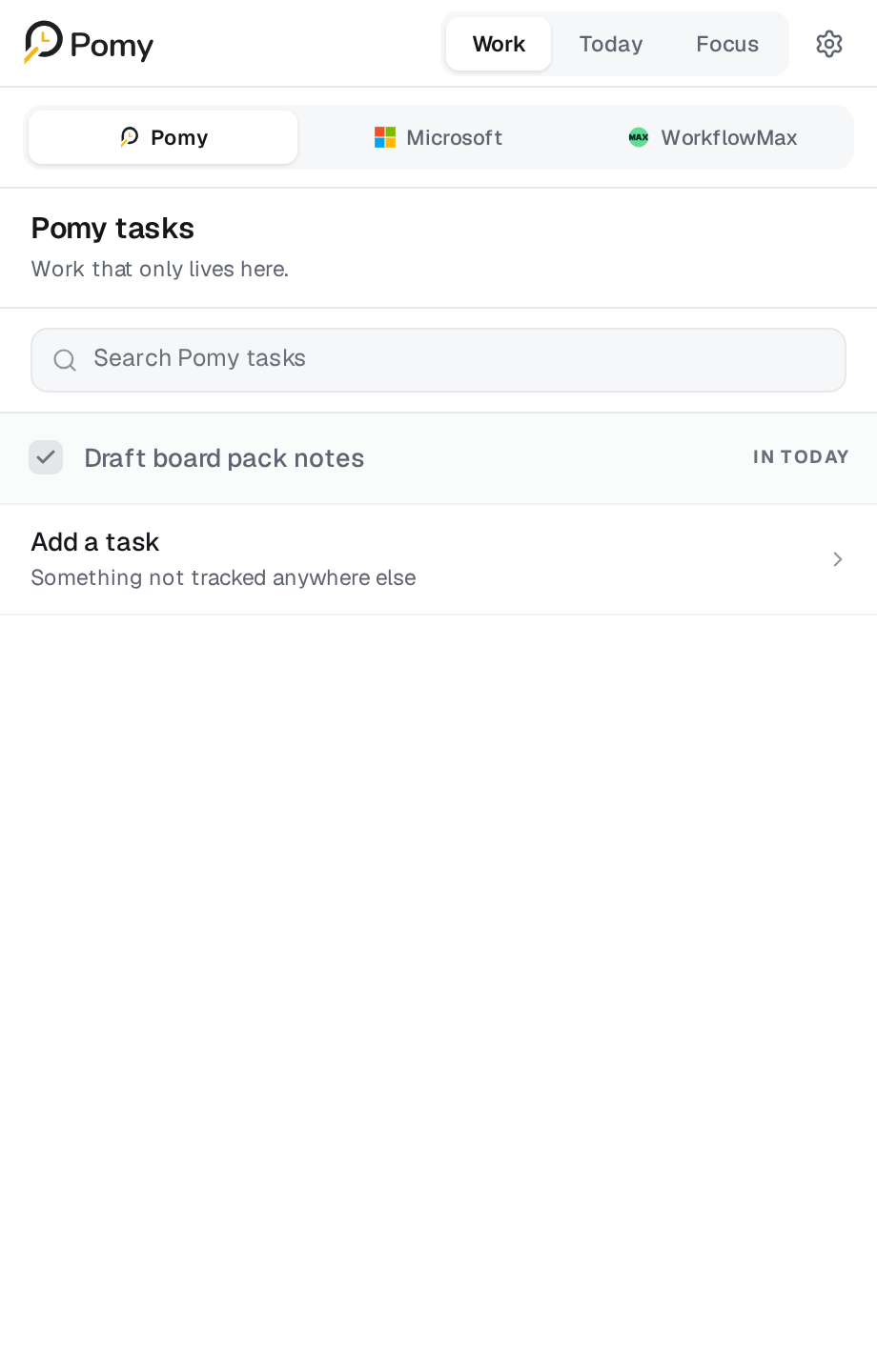
Choose from Pomy tasks, Microsoft To Do lists, or WorkflowMax client work without retyping it.
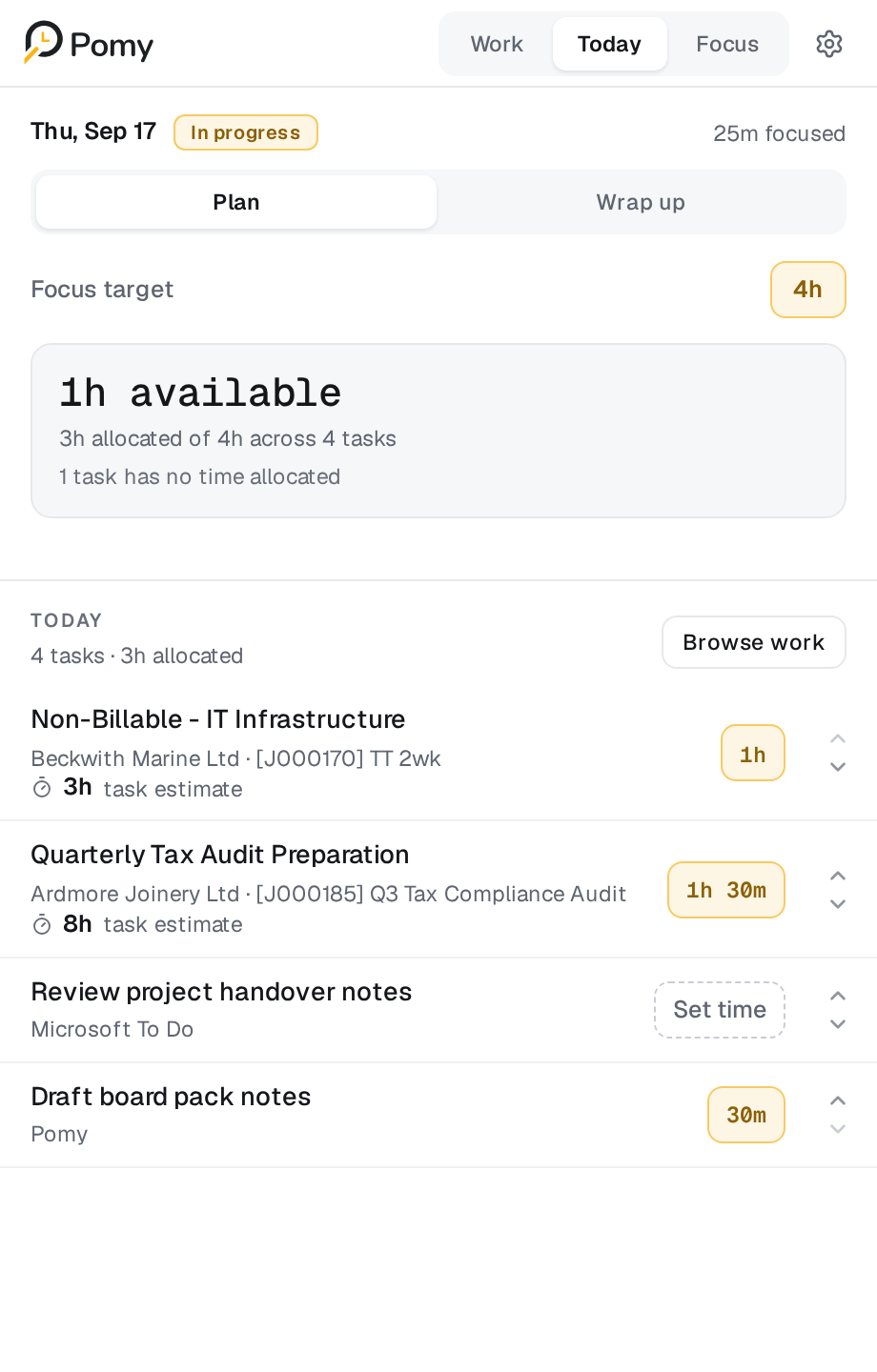
Plan the day
Pomy pulls the work you already have — Pomy tasks, Microsoft To Do and WorkflowMax jobs — into a single day you can actually finish, without retyping anything.
Pick from your own tasks, your To Do lists, or a live client job. Context comes with it, so nothing has to be described twice.
The task, its source and the round sit together in the side panel. Everything else is deliberately quiet until the round ends.
“The plan, the timer and the timesheet are the same thing in Pomy. You stop rebuilding the day from memory at 5pm.”
Connected work
Pomy does not replace Microsoft 365 or WorkflowMax. It sits beside them and turns whatever is already there into focused rounds and a timesheet you approve.

Quick personal work you capture in the panel.
Your existing lists and tasks, kept in sync both ways.
Client, job and task context with its own time budget.
Honest Time
Focused time is evidence. The timesheet remains a deliberate human decision—not an automatic judgement.
A deliberate record
The same workday, shown three ways. Each number has a different owner and purpose.
Chosen, not yet recorded.
The remaining focused time is simply context — not a debt, deficit or productivity judgement.
Connected systems
Switch between the real integration screens. Pomy adds a focused execution layer without replacing either system.
Microsoft To DoBring lists and tasks into Today, then complete or reopen them from the same workflow.
Explore integrations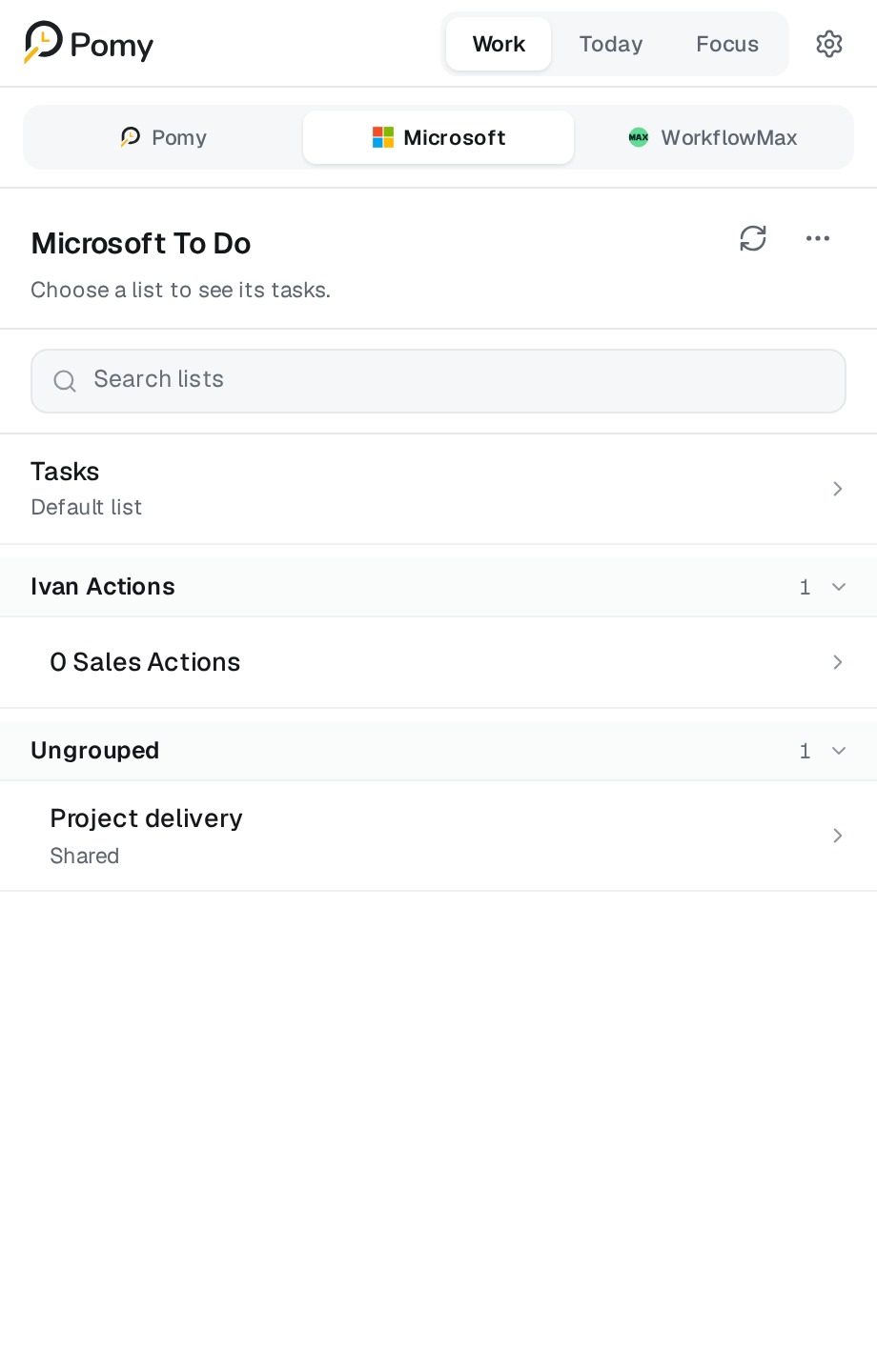
Built around trust
Pomy is intentionally designed without screenshots, keystroke capture, productivity rankings, or automatic timesheet submission.
FAQ
Private pilot
Give your team a clearer way to plan, focus and finish the timesheet.
Product updates
Get updates as Pomy moves through its Edge and Chrome pilot rollout.